 Skip to content
 - Smart TV Wi-Fi vs Ethernet: Common Myths in UK Homes
- Myth One: Modern Wireless Beats a Wired Cable Every Time
- Myth Two: You Need an Engineering Degree to Wire Your TV
- Myth Three: Wi-Fi Speed Matters More Than Stability
- Myth Four: Smart TVs Have Gigabit Ports
- Finding the Right Balance for Your Living Room
Smart TV Wi-Fi vs Ethernet: Common Myths in UK Homes
Getting your television online should be simple. Plug it in or connect to the wireless router, and you are ready to stream. Yet, plenty of conflicting advice floats around online regarding Smart TV Wi-Fi vs Ethernet performance.
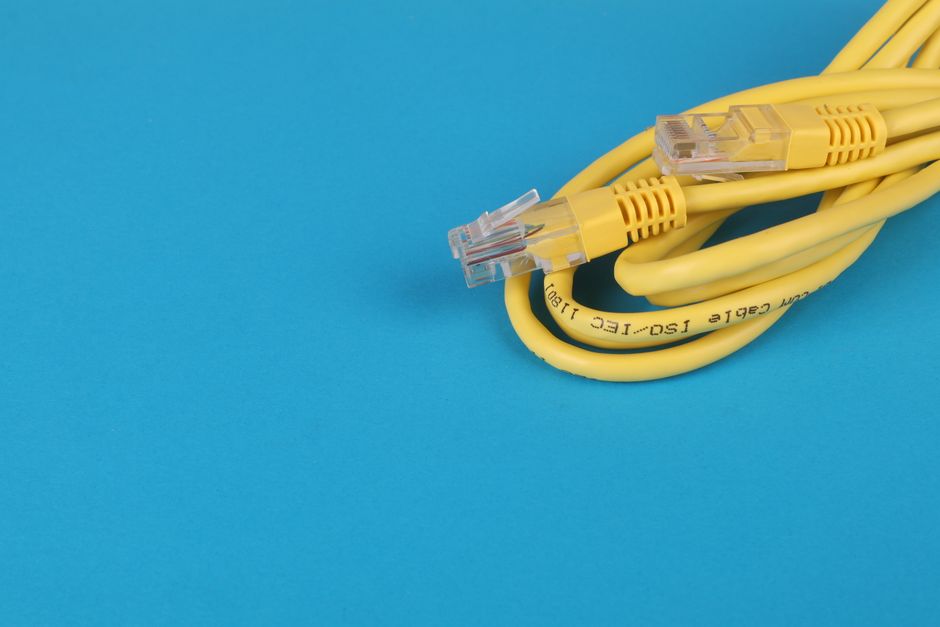
Some broadband users claim wireless speeds match wired connections easily. Others insist a copper cable is the only way to stop a spinning loading icon on live sports or catch-up apps. Reality sits somewhere in the middle. Let us clear up the confusion.
Myth One: Modern Wireless Beats a Wired Cable Every Time
Wi-Fi technology has improved massively over recent years. Standard routers handle multiple wireless streams without breaking a sweat. So, many people assume wireless signals match physical cables now.
That assumption falls apart quickly in typical UK properties. Thick brick walls, dense internal insulation, and interference from neighbouring routers play havoc with wireless frequencies. Even if your broadband package delivers fast speeds to the router, walls degrade that signal before it hits your living room. A physical connection bypasses interference entirely.
Myth Two: You Need an Engineering Degree to Wire Your TV
Another widespread misconception is that running a network cable requires professional installation or drilling through floorboards. People picture ugly grey wires trailing across hallways.
In reality, standard Ethernet cables cost very little and plug straight into the back of your broadband router and television. If your router sits too far away, flat cables tuck neatly beneath skirting boards or carpets without looking messy. Alternatively, home plug adapters use your electrical mains to carry data between rooms with zero fuss. For those looking at network setups, our guide to setting up wired connections breaks down the installation steps.
Myth Three: Wi-Fi Speed Matters More Than Stability
Speed tests often dominate broadband discussions. People check download figures on their phones and assume high numbers guarantee flawless video playback. Live internet television requires steady delivery rather than raw download bursts.
Wireless networks suffer from packet loss when interference spikes. Microwave ovens, baby monitors, and competing devices on the same frequency cause micro-drops. Video streams freeze or drop in resolution during these moments. A wired link maintains consistent packet delivery, preventing those sudden quality dips.
Myth Four: Smart TVs Have Gigabit Ports
Many buyers assume expensive modern televisions feature top-tier network hardware. They plug in a high-speed cable expecting maximum performance.
Surprisingly, many smart TV models still feature older 100Mbps network ports due to manufacturing cost choices. That speed limit easily handles ultra-high-definition video streams, which rarely exceed 25Mbps. Still, it means a wired connection on a TV might test slower than your laptop while remaining entirely sufficient for streaming needs. If your overall internet speeds feel sluggish, reviewing recommended broadband speeds for streaming helps put your hardware performance into perspective.
Finding the Right Balance for Your Living Room
You don’t necessarily need to wire every screen in your house. Casual catch-up viewing on a bedroom set works brilliantly over a strong wireless signal. Your main living room television, however, handles the heavy lifting for sports and long evening viewing sessions.
If you experience random stuttering during peak evening hours when the whole street goes online, switching that main screen to a physical cable solves most headaches. Test your setup during busy periods to see how your connection holds up.
Related reading
- BT Smart Hub 2 vs Sky Broadband Hub for IPTV Streaming in UK Homes
- How to Measure Broadband Speed for IPTV Streaming at Home
