 Skip to content
 Navigating the Software Behind Your Living Room Screen
Watching television across the UK has evolved far beyond traditional aerials and satellite dishes. Today, smart tv operating systems dictate almost every aspect of how you find, launch, and stream your favourite programmes. When you press a button on your remote to open BBC iPlayer, ITVX, or Channel 4, you are relying entirely on the software platform built into your hardware.
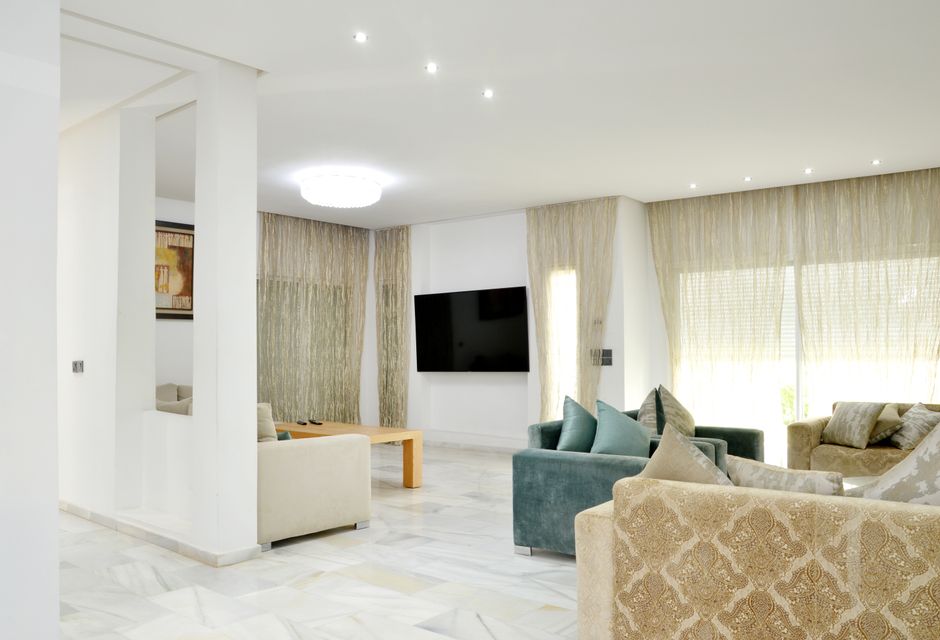
Different manufacturers approach this software layer in distinct ways. Samsung relies on Tizen, LG uses webOS, and brands like Sony, Philips, and TCL build their interfaces on Google TV or Android TV. Meanwhile, budget models often run on Fire TV or Roku OS. Each platform handles memory management, app updates, and video codecs differently.
Understanding these differences helps explain why an app might load instantly on one television but stutter on another. Network conditions matter, but the underlying software plays a massive role in overall performance.
The Big Players: Tizen, webOS, and Google TV
Samsung’s Tizen platform dominates a large share of UK living rooms. It uses a lightweight design that keeps the main broadcast running in a small window while you browse menus. Apps download quickly, and the interface responds swiftly to remote inputs. However, older Samsung models sometimes drop support for specific catch-up features as software requirements advance.
LG takes a different route with webOS. Originally designed for mobile devices, webOS uses a pointer-based remote control that acts like an on-screen mouse. The platform places app icons in a horizontal launcher bar at the bottom of the display. Memory allocation on webOS is generally efficient, which prevents most sudden crashes during long viewing sessions.
Google TV offers a content-first approach. Instead of highlighting individual applications, it aggregates suggestions across terrestrial catch-up players and subscription services onto a single home screen. If you want a deeper look at how these platforms differ, our Smart TV Operating Systems Explained guide breaks down the core myths and realities.
How Catch-Up Apps Interact with System Memory
Streaming live television and on-demand video demands significant processing power. When you stream high-definition content from UK broadcasters, your television must decode video streams in real time while simultaneously managing a user interface filled with dynamic image tiles and metadata.
Budget televisions often feature limited random access memory. When you switch rapidly between multiple applications, the operating system must close background processes to free up resources. If insufficient memory remains available, the television might freeze, or the streaming application might crash entirely back to the home screen.
Higher-end screens include faster processors and more memory headroom. They keep multiple apps suspended in the background so you can resume playback exactly where you left off. Network stability also plays a role here. If your connection falters, a well-optimised platform handles the drop gracefully rather than locking up your hardware.
Network Integration and Connection Stability
Software cannot compensate entirely for a weak internet connection. Even the most advanced smart tv operating systems require a steady flow of data to deliver buffer-free streams. Wi-Fi interference remains a common hurdle in many UK properties due to thick internal walls and crowded wireless channels.
When wireless signals weaken, operating systems attempt to step down the video resolution automatically to prevent interruption. Sometimes this negotiation fails, resulting in infinite loading spinners. Many households resolve these persistent dropouts by plugging in a physical cable. If you want to explore the physical layer further, our Smart TV Wi-Fi vs Ethernet analysis clears up common household myths.
App Support and Longevity
Purchasing a television is a long-term investment. Yet, software support often dictates how long your device remains fully functional. UK broadcasters update their streaming applications regularly to introduce new security protocols, user interface tweaks, and compression formats.
Major manufacturers generally guarantee software updates for a specific window, usually ranging from three to five years. Once a model reaches the end of its official support lifecycle, broadcasters may gradually phase out compatibility. This means older smart tv operating systems might eventually lose access to popular catch-up services, forcing viewers to connect an external streaming stick to keep watching.
Practical Steps to Keep Your Platform Running Smoothly
Keeping your television software up to date is the single most effective way to prevent bugs and security vulnerabilities. Most screens check for updates automatically overnight if left in standby mode, but you can also trigger manual checks through the system settings menu.
Clearing application caches periodically also helps maintain responsiveness. Over time, cached image files and temporary data accumulate, consuming valuable storage space. Taking a few moments to restart your television completely by unplugging it from the mains for thirty seconds can clear out lingering memory leaks and restore normal operation.
Related reading
- Fire TV Stick vs Google Chromecast: Choosing the Right UK Streaming Device
- How to Set Up a Streaming Device on UK Smart TVs
