 Skip to content
 - Choosing Your Main Way to Watch Television
- Built-In Freeview Play: How It Works on Modern TVs
- Dedicated Streaming Sticks: Fire TV, Roku, and Google TV
- Interface Speed and Everyday Usability
- Content Availability and UK Broadcaster Apps
- Hardware Longevity and Upgrading Your UK Streaming Setup
- Our Verdict: Which Option Wins for Most Households?
Choosing Your Main Way to Watch Television
Many households across the country no longer rely on a traditional roof aerial or a standard cable box to watch their favourite programmes. Instead, an internet-connected television forms the heart of the modern UK streaming setup. Choosing the right hardware changes how quickly your apps load and how easily you can find live broadcasts.
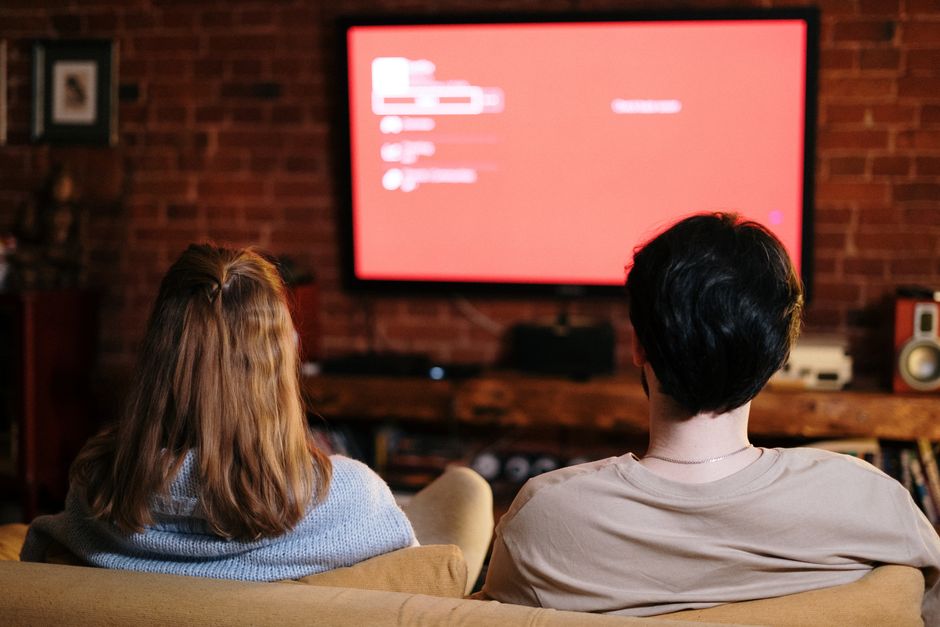
Two main paths dominate living rooms today. You can use the built-in smart platform of your television, or you can plug a compact streaming stick into the back of your screen. Both methods let you watch live television and catch-up services over your broadband connection. But they behave very differently in day-to-day use.
Hardware performance varies wildly between brands. Some smart TV interfaces feel sluggish after a couple of years of software updates. Dedicated media players often maintain a faster pace because their chips deal only with video playback.
Your choice depends on what matters most to you. Do you want simplicity with a single remote, or maximum speed and app compatibility?
Built-In Freeview Play: How It Works on Modern TVs
Most modern televisions sold in British shops come with smart features baked right into the main board. Brands like Panasonic, JVC, and Hisense frequently build Freeview Play directly into their operating systems. If you want a deeper look at how these integrated catch-up hubs operate, our Freeview Play guide breaks down the interface features.
The biggest perk of this approach is convenience. You turn on the television, press the guide button, and browse channels instantly. There are no extra HDMI cables dangling from the wall. You only need one remote control for everything.
Scroll backwards through the TV guide on a Freeview Play set, and you can launch missed shows from BBC iPlayer or ITVX without opening a separate app. The system stitches traditional broadcast schedules and internet catch-up together into one neat timeline.
Still, built-in TV software has flaws. Manufacturers stop pushing software updates after a few years. When that happens, apps can slow down or stop working altogether. Your screen might still display a crisp picture, but the smart features become unusable.
Processor power inside budget smart televisions is often modest. Manufacturers spend money on the display panel instead of high-end silicon. This shows up as laggy menu scrolling during peak viewing hours.
Dedicated Streaming Sticks: Fire TV, Roku, and Google TV
Amazon, Roku, and Google take a different approach. They build small dongles that plug straight into an HDMI port on your television. These devices run their own operating systems and draw power either from a USB port or a wall plug.
Sticks shift the heavy lifting away from your television’s internal hardware. If your TV screen is five years old and feels painfully slow, plugging in a modern streaming device breathes new life into it instantly. The menus snap open, and voice search responds without hesitation.
These devices also support a broader range of applications. You aren’t tied to the specific app store curated by your TV manufacturer. You get regular security patches and interface updates straight from tech giants who update their software constantly.
Travel is another major bonus. You can unplug your streaming stick, drop it into a bag, and plug it into any TV in a hotel or holiday cottage. Your personal logins and app layouts travel with you.
Setup takes minutes. You connect to your home Wi-Fi network, sign in with your account details, and you are ready to watch. If you run into network trouble, checking our smart TV network guide helps sort out any wireless range issues affecting your new hardware.
Interface Speed and Everyday Usability
Living room technology needs to be fast. Nobody wants to stare at a loading circle when they just want to catch the evening news.
Dedicated media sticks generally win the speed battle. Their processors are designed specifically for snappy media navigation. App switching feels instant, and animations rarely stutter.
Built-in TV menus can frustrate you. Manufacturers load their home screens with sponsored content and recommendation tiles that chew up memory. Turning off these features sometimes speeds things up, but the underlying hardware limitations remain.
Remote controls also tell a story. TV remotes are often massive plastic slabs packed with dozens of tiny buttons you never touch. Streaming sticks often use minimalist remotes with dedicated shortcuts for major services.
Older family members might prefer the traditional TV remote layout. Younger viewers usually adapt instantly to the minimalist clickers packed with streaming dongles.
Content Availability and UK Broadcaster Apps
Every major UK broadcaster provides a streaming application. You need BBC iPlayer, ITVX, Channel 4, and My5 to cover standard British television.
Freeview Play covers all of these brilliantly out of the box. Because it was built specifically for the UK market, local catch-up apps sit at the core of the experience. You rarely have to search for them.
Streaming sticks support these UK apps too, but you have to download them manually during setup. Amazon and Google devices sometimes push their own global streaming partners harder in search results. Finding local channels takes an extra button press or two.
Integration with live TV guides varies. Some streaming sticks integrate live UK channels directly into their home screens, while others treat live TV as just another app icon you have to open separately.
If watching standard broadcast television remains your primary goal, built-in guides often feel more natural than app-based alternatives.
Hardware Longevity and Upgrading Your UK Streaming Setup
Technology ages quickly. Buying a television is a long-term investment. Most people expect a good TV screen to last seven to ten years.
Smart software does not last that long. Manufacturers drop support for older operating systems much faster than display hardware fails. When your built-in apps stop updating, your only choice is buying an external stick anyway.
Choosing a dedicated streaming device from the start separates your screen from your software. When a streaming stick gets slow after four years, you spend thirty pounds on a new one. Your main TV screen stays right where it is, completely unaffected.
This modular approach saves money over time. You replace the brain without throwing away the body.
Energy consumption is another minor detail. Streaming sticks draw very little power, often running cool even during long viewing sessions.
Our Verdict: Which Option Wins for Most Households?
If you want absolute simplicity and hate clutter, let your television handle the work. Modern smart TVs with Freeview Play suit casual viewers who just want to watch linear television and basic catch-up without fussing over extra wires.
For everyone else, a dedicated streaming device makes a better choice. The speed boost alone justifies the minor cost. Better app support, faster updates, and longer hardware life make streaming sticks the smartest addition to any modern UK streaming setup.
Related reading
- Smart TV Operating Systems Compared: WebOS, Tizen, and Google TV in the UK
- How to Set Up and Configure IPTV Apps on Samsung Tizen Smart TVs in the UK
