 Skip to content
 - Decoding Smart TV Performance Claims in British Living Rooms
- Myth 1: More Megapixels and Display Tech Mean Faster App Loading
- Myth 2: Smart TVs Never Need Storage Management Like Smartphones
- Myth 3: Closing an App Stops It From Running in the Background
- Myth 4: Built-In Wi-Fi Chips Handle High-Bitrate Feeds Flawlessly
- Myth 5: Factory Resets Solve Every Software Glitch Permanently
- Practical Steps to Maintain Smooth Equipment Speed
Decoding Smart TV Performance Claims in British Living Rooms
Watching live broadcasts and on-demand platforms on a modern television set feels straightforward. You press a button on your remote, select an application, and watch your favourite programme. Yet, hardware limitations often disrupt this routine. Many households across the UK experience sluggish menus, unexpected app closures, and sudden freezing during crucial moments of a broadcast. Users frequently blame their broadband provider or Wi-Fi signal when these faults occur.
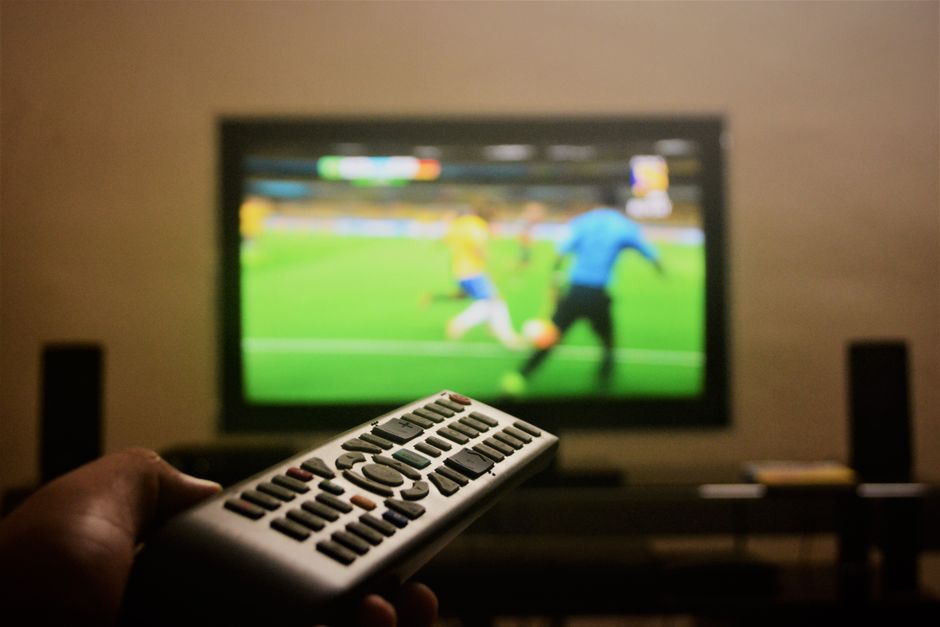
Hardware capabilities inside your television play a massive role in how smoothly your apps run. Modern smart tv performance depends heavily on internal components that many buyers overlook. Manufacturers pack screens with brilliant 4K panels and high dynamic range tech, but they sometimes skimp on processing chips and internal memory. Separating manufacturing marketing claims from technical reality helps you troubleshoot equipment faults much faster. Let us examine the most common misconceptions surrounding television hardware in UK households.
Myth 1: More Megapixels and Display Tech Mean Faster App Loading
Many shoppers assume that a top-tier OLED screen automatically brings lightning-fast menu navigation. Manufacturers heavily market panel resolution, quantum dot colours, and refresh rates. They rarely highlight the processor model or RAM allocation tucked away on the motherboard. Your screen displays the image, but a separate system-on-a-chip handles the software interface.
Fact: Display quality and software speed remain entirely separate. A television costing over a thousand pounds can feature a budget processor that struggles to run multiple streaming applications at once. Brands like Samsung use Tizen, LG relies on webOS, and Sony or TCL deploy Google TV. Each operating system places different demands on hardware. If your menus stutter when you browse the BBC iPlayer guide, an upgraded display won’t fix the bottleneck. The tiny chip powering the software simply lacks the muscle to render animations quickly.
Myth 2: Smart TVs Never Need Storage Management Like Smartphones
People routinely clear cache files and delete unused software on their mobile phones to keep them running briskly. Owners rarely apply this same logic to their living room screens. Most buyers assume that built-in television memory operates as an infinite resource that looks after itself.
Fact: Every application you install leaves behind cached data, temporary files, and background update packages. Many budget and mid-range televisions ship with surprisingly small internal storage pools—often as little as 4GB or 8GB of total space, with the operating system claiming a huge chunk right out of the box. Once that partition fills up, background processes slow to a crawl. You might notice apps taking ten seconds just to open, or live video feeds stuttering because the buffer lacks temporary write space. If buffering persists despite a solid home network, our guide on why your smart tv keeps buffering on UK broadband explores network-side causes, but internal storage exhaustion can create very similar symptoms.
Myth 3: Closing an App Stops It From Running in the Background
Pressing the home button on your remote drops you back to the main dashboard. Most viewers assume this action terminates the active application entirely, freeing up system memory for other tasks.
Fact: Most television operating systems suspend applications rather than closing them completely. This design choice helps apps reopen faster when you return later. However, leaving five or six heavy media applications suspended in the background exhausts available RAM. When physical memory runs out, the operating system forcefully terminates processes, causing sudden app crashes or complete reboots. Taking a moment to force-close unused software through your settings menu restores available memory and keeps overall smart tv performance stable throughout the evening.
Myth 4: Built-In Wi-Fi Chips Handle High-Bitrate Feeds Flawlessly
Living room displays sit yards away from home routers. Consumers expect integrated wireless cards to pull massive data streams without breaking a sweat, treating Wi-Fi as a magical utility that bypasses physical walls and interference.
Fact: Integrated wireless adapters inside televisions are rarely top-tier components. They often support older Wi-Fi standards or feature single-band antennas that struggle with heavy interference from microwave ovens, Bluetooth devices, and neighbouring wireless networks. A choppy wireless link mimics the exact symptoms of a failing processor. If you want to understand how physical network layouts interact with hardware limitations, take a look at our breakdown of smart tv wi-fi vs ethernet common myths in UK homes to see what actually works best for high-bitrate streaming.
Myth 5: Factory Resets Solve Every Software Glitch Permanently
When a television starts behaving erratically, tech support forums frequently advise a complete factory reset. Many users treat this nuclear option as a permanent cure for hardware aging.
Fact: A factory reset clears corrupted cache files and restores default settings, giving you a temporary speed boost. It cannot reverse the effects of hardware aging or software bloat. As application developers release updates, their software demands more processing power and memory. An application that ran smoothly three years ago might crawl today simply because the developer added complex user interface elements and tracking scripts. When native software outgrows your hardware, external streaming boxes provide a much more reliable long-term fix than endless software resets.
Practical Steps to Maintain Smooth Equipment Speed
Maintaining responsive television hardware requires simple housekeeping habits. You don’t need a degree in computer science to keep your setup running efficiently. Start by auditing your installed applications once every few months. Delete any catch-up players or streaming tools you haven’t opened in a season. Fewer installed programs mean fewer background update checks chewing through system resources.
Next, check for system software updates manually. Manufacturers patch memory leaks and optimise decoding pipelines regularly, but automatic update schedulers often miss their windows if the set goes into a deep sleep mode rather than powering down completely. Keeping your firmware current ensures that video decoders make full use of hardware acceleration chips.
Finally, consider adding an external streaming device if your television’s native processor has simply grown too old for modern demands. Dedicated media boxes pack dedicated processors and generous RAM allocations that put built-in television hardware to shame. They let you bypass aging internal software entirely, breathing new life into an otherwise brilliant display panel without forcing you to buy a brand-new television.
Related reading
- MAG Boxes vs Android TV for IPTV: Which Hardware Suits UK Households Best?
- Smart TV vs Streaming Box: Which is Best for IPTV in the UK?
