 Skip to content
 - 1. Native Support for UK Catch-Up and Streaming Apps
- 2. Processor Speed and Operating System Fluidity
- 3. Network Connectivity: Wi-Fi Standards and Ethernet Ports
- 4. Video Resolution and HDR Format Support
- 5. Audio Passthrough and Surround Sound Formats
- 6. Remote Control Design and Voice Search Features
Buying a new UK streaming device changes how your household watches television every single evening. Built-in smart TV interfaces often slow down after a couple of years. Dedicated media players solve this issue by offering snappy menus and regular software updates. Yet every brand approaches things slightly differently. Finding the right hardware requires looking past flashy marketing boxes.
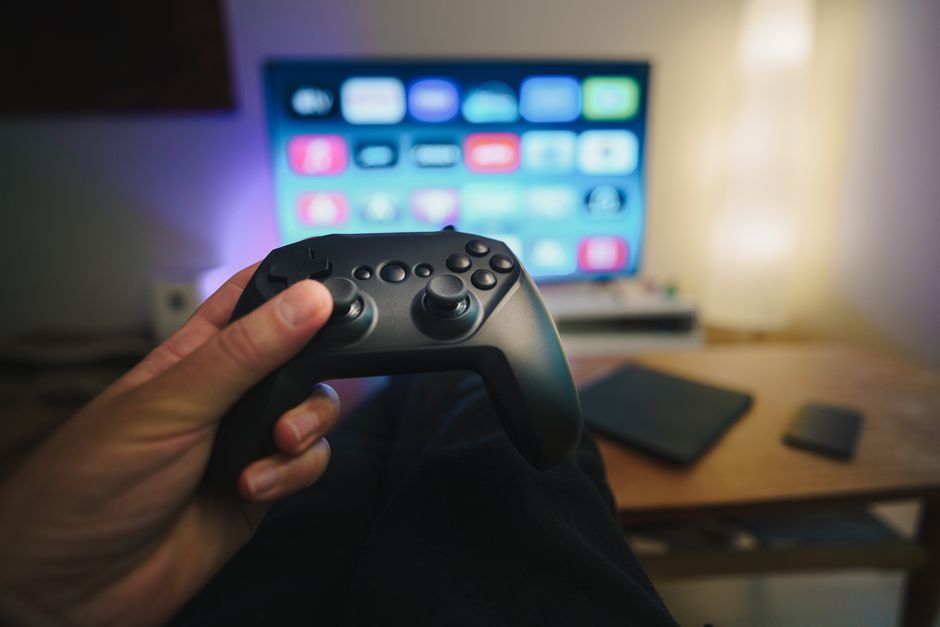
Performance varies wildly between cheap USB sticks and high-end media boxes. Your broadband setup, television capabilities, and preferred viewing apps dictate which model makes sense for your living room. Let us break down the core factors that deserve your attention before you spend your hard-earned cash.
1. Native Support for UK Catch-Up and Streaming Apps
Platform ecosystems differ across international borders. US-centric boxes often miss crucial British applications. Any decent UK streaming device must natively support BBC iPlayer, ITVX, Channel 4, and My5 straight out of the box. Without these standard UK platforms, you end up casting from a mobile phone constantly.
Beyond public service broadcasters, check for availability of subscription apps like Netflix, Disney Plus, and Prime Video. Some niche media players run restricted operating systems. They lack official app store access. Sideloading apps brings security risks and broken remote control navigation. Stick to mainstream platforms with verified app libraries.
2. Processor Speed and Operating System Fluidity
Menus should snap open instantly. Sluggish interfaces drive viewers mad within minutes of plugging a box in. Budget hardware often cuts corners on processor specs and system memory. This results in stuttering animations and frustrating delays when launching heavy applications.
Google TV, Amazon Fire OS, and Apple tvOS demand varying levels of processing muscle. A quad-core processor paired with at least two gigabytes of RAM forms a sensible baseline for smooth performance. Older chips struggle with modern high-definition interfaces packed with video previews and animated banner ads. Spending slightly more on a faster processor saves you from daily headaches.
3. Network Connectivity: Wi-Fi Standards and Ethernet Ports
Video buffering ruins a good television evening faster than anything else. Your chosen UK streaming device needs reliable internet access to maintain high bitrates. Dual-band Wi-Fi handles standard streaming quite well if your wireless router sits close to the television.
Thick walls and interference cause wireless signals to drop unexpectedly. Many dedicated streaming boxes include built-in Ethernet ports for a wired internet connection. If your hardware lacks a physical network port, USB-to-Ethernet adapters sometimes offer a workaround. Readers who want stable speeds can also check our guide on smart TV Wi-Fi and Ethernet options to understand local network performance.
4. Video Resolution and HDR Format Support
Television technology moves quickly. Most living rooms now feature 4K Ultra HD screens. Your media player must match your display capabilities to get the sharpest picture possible. Look for boxes supporting 4K playback at sixty frames per second or higher.
High Dynamic Range formats matter just as much as raw pixel count. HDR10, HDR10+, and Dolby Vision deliver vibrant colours and deeper contrast scenes. Not all hardware supports every HDR format. Amazon Fire devices typically champion HDR10+ and Dolby Vision, while standard Google TV hardware handles multiple standards easily. Check your television specification sheet before matching a player to it.
5. Audio Passthrough and Surround Sound Formats
Great pictures mean very little if your sound track lacks punch. Standard television speakers handle casual news viewing just fine. Movie nights and sports matches demand external soundbars or full AV receiver setups. Your UK streaming device needs proper audio passthrough capabilities to feed these systems correctly.
Basic stereo output comes standard on every device. True cinephiles need hardware that supports Dolby Atmos and DTS surround sound. Check if the media player decodes these audio streams locally or passes them directly to your soundbar. Getting this wrong leaves you with flat audio tracks that fail to fill the room.
6. Remote Control Design and Voice Search Features
You interact with your hardware through its remote control more than any other component. Tiny black plastic clickers with thirty identical buttons cause constant frustration in dark rooms. Clean layouts with dedicated volume controls and prominent Netflix or Prime buttons make everyday life much easier.
Voice search integration changes how quickly you find specific programmes. Pressing a button and speaking titles aloud beats typing letters with an onscreen grid. Google Assistant and Alexa integration allow hands-free control if you use compatible smart home speakers nearby. Pick a device featuring a comfortable remote that fits naturally in your hand.
Related reading
- How to Use External USB Storage on Android TV Streaming Devices in the UK
- 7 Things to Check Before Buying a Smart TV for Streaming in the UK
