 Skip to content
 Choosing a Smart Streaming Platform in the UK
Streaming television across the UK usually starts with picking a device platform. Most living rooms now feature either an Amazon Fire TV stick or a television running Android TV and Google TV. Both systems turn a standard display into a hub for catch-up services, subscription apps, and live broadcasts.
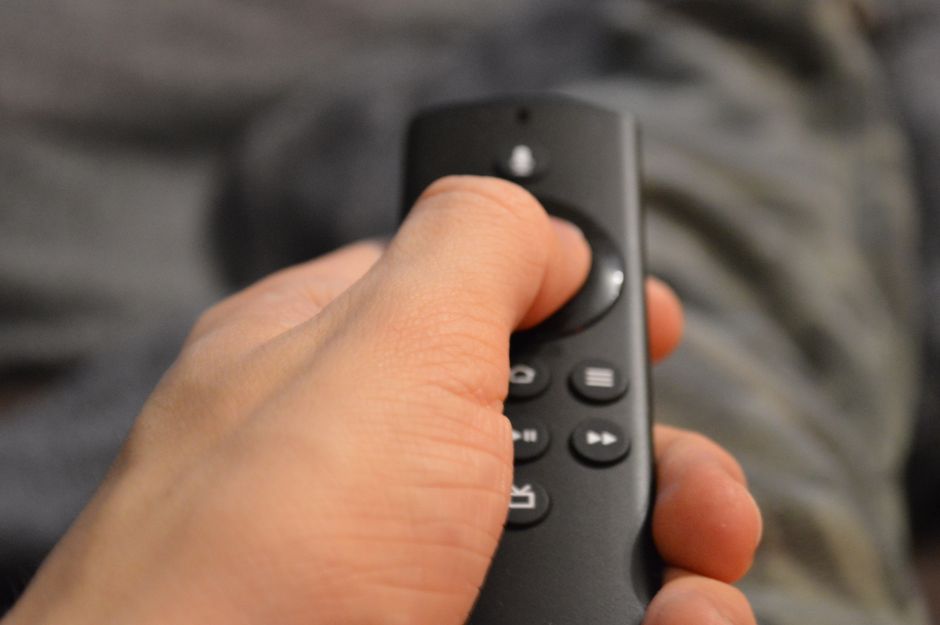
Yet, they handle apps, user interfaces, and hardware quite differently. Picking the right one changes how smoothly your evening viewing runs.
Operating Systems and User Experience
Amazon Fire TV runs on a heavily modified version of Android called Fire OS. The layout puts Amazon Prime content front and centre. Rows of recommended shows, sponsored banners, and app tiles fill the home screen. It feels busy, but familiar.
Android TV, and its modern sibling Google TV, offer a cleaner approach. Google uses your viewing history across various apps to suggest what to watch next on the main dashboard. You spend less time digging through menus.
Hardware choice matters too. Fire TV runs on affordable hardware like Fire TV Sticks and Fire TV Cubes. Android TV powers a much wider range of hardware. You’ll find it built directly into Sony, Philips, and TCL smart TVs, as well as standalone boxes like the Chromecast with Google TV and the Nvidia Shield.
App Availability and Side-Loading
Both platforms support every major UK catch-up service. BBC iPlayer, ITVX, Channel 4, and My5 run without trouble on either system. Netflix, Disney+, and Prime Video are standard on both.
Where they differ is flexibility. Android TV gives you direct access to the Google Play Store. It features thousands of apps designed specifically for television screens.
Fire TV relies on the Amazon Appstore. While most popular software makes the cut, some niche applications are missing. Advanced users often side-load third-party APK files onto Fire TV devices using utility tools. Android TV allows side-loading too, often with fewer security hurdles enabled by default.
Performance and Hardware Speeds
Cheap streaming hardware often stutters. Entry-level Fire TV sticks can feel sluggish when navigating heavy menus or loading high-resolution feeds. Upgrading to a Fire TV Cube fixes this with a faster processor.
Android TV performance varies wildly based on what hardware you buy. Budget smart TVs running basic Android processors often lag after a few software updates. Premium streaming boxes with dedicated chips fly through menus instantly.
Network stability plays a huge role in how fast these devices feel. If your Wi-Fi struggles, even the fastest processor will wait on buffering wheels. Readers dealing with home network bottlenecks can check our Smart TV Wi-Fi vs Ethernet guide for tips on securing a rock-solid wired connection.
Smart Home Integration
Smart home setup usually dictates your choice here. Fire TV integrates deeply with Alexa. You can ask an Echo speaker to pause your show or use the voice remote to control smart lights.
Android TV relies on Google Assistant. It links smoothly with Nest smart displays, Google Home speakers, and Android phones. If your household already uses Google Nest gear, Android TV feels completely natural.
Final Verdict for UK Viewers
Amazon Fire TV wins on value. It’s cheap, frequently discounted during retail sales, and gets the job done for basic streaming. It suits casual viewers who just want Netflix and BBC iPlayer without spending much.
Android TV takes the crown for flexibility and speed on high-end hardware. The interface feels less cluttered, and the app ecosystem offers more room for customisation. Pick Android TV if you want a cleaner dashboard and better integration with Google services.
Learn more on Wikipedia: Amazon Fire TV.
Related reading
- 6 Things to Consider When Choosing a Streaming Device for Your UK Living Room
- How to Use External USB Storage on Android TV Streaming Devices in the UK
